Installation
Where to get it
You can get Metadata Tags Editor on Fab.
Installation from Fab
Up-to-date general guide for Working with plugins in Unreal Engine.
Manual build
Users who are using Source Code distribution from Gumroad will get plugin without prebuilt binaries. Unreal should rebuild them on project startup but if it does not happen, please refer to official tutorial.
Plugin location
If by any reason, you are installing the plugin manually, unpack it to
{PROJECT_DIRECTORY/Plugins}You can also unpack it to you main Unreal installation which is located under
C:\Program Files\Epic Games\UE_[version]\Engine\Pluginson Windows/Users/Shared/Epic Games/UE_[version]/Engine/Pluginson macOS
Enabling the plugin
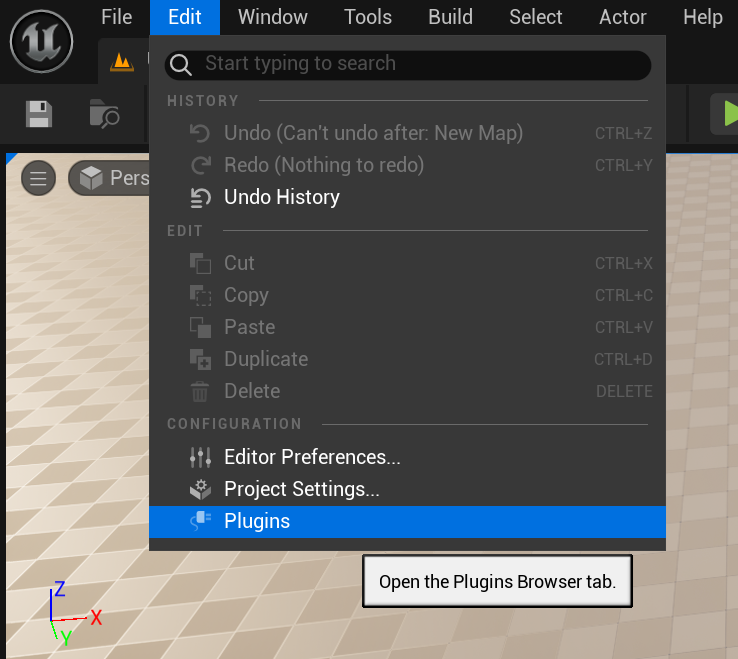
Navigate to editor top bar and open Edit -> Plugins.
Search for Metadata Editor and toggle the plugin.
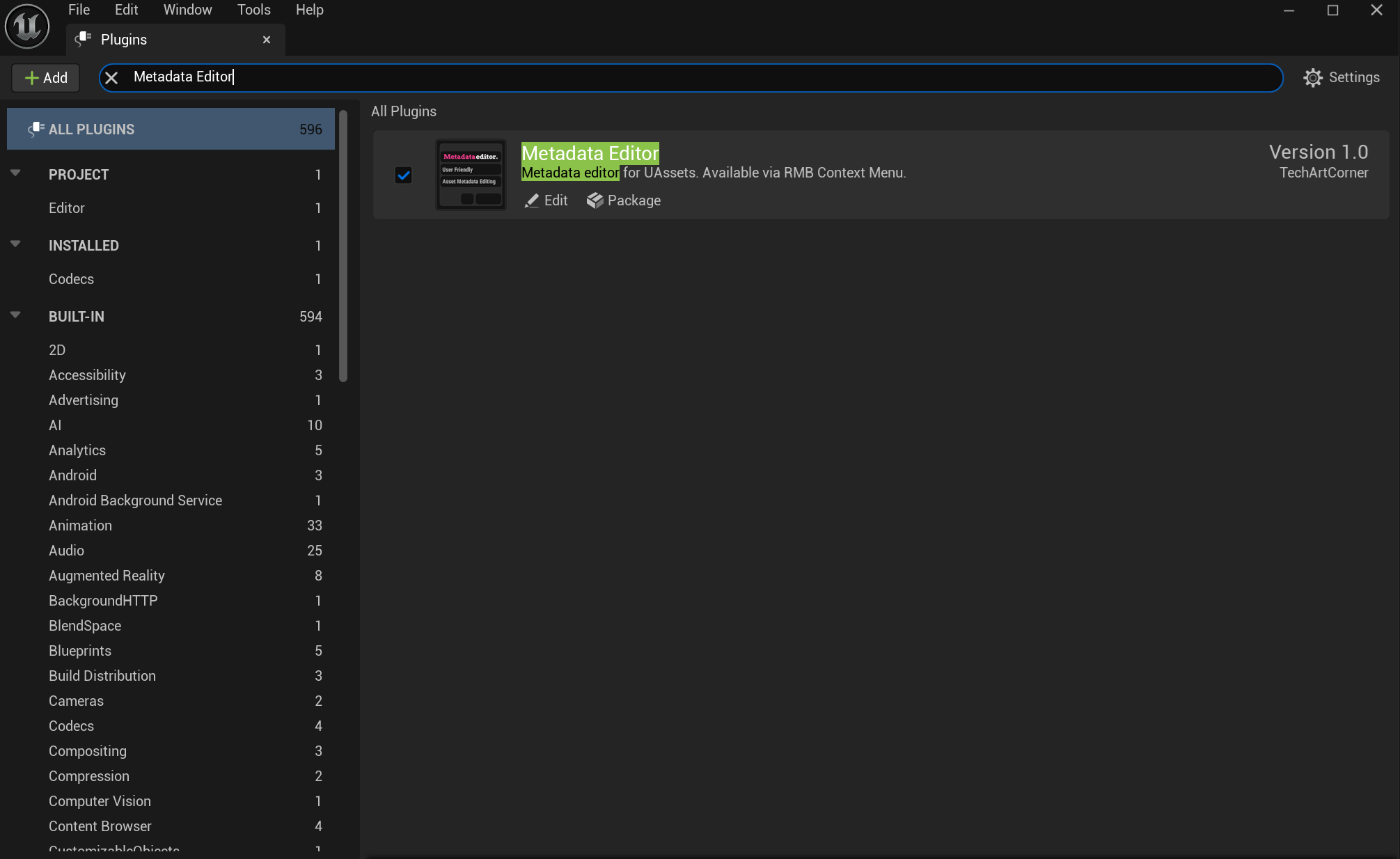
Remember to restart Unreal.
